XMAX V3 Pro and V4 Pro Mesh Screens and Filters: What to Use and When to Replace
The XMAX V3 Pro and V4 Pro have two places where mesh and filtering matter: a mesh screen pressed into the metal oven, and a filter component in the mouthpiece. Both can be cleaned and the oven screen can be replaced. XMAX packs spare mesh screens in the box (two with the V3 Pro, four with the V4 Pro), and the manuals describe removing the old screen with the cleaning tool and pressing a new one into position. Replace a screen when it is bent, clogged or will not come clean.
One honest note: we do not currently sell XMAX mesh screens or replacement filters, so this is an information guide and we are not linking a screen to buy. We do stock glass stems and water accessories, which are covered in our XMAX accessories guide. For the models themselves, see V3 Pro vs V4 Pro vs Starry 4 and the XMAX hub.
- Where the screens and filters sit
- Cleaning, step by step
- Replacing the oven mesh screen
- Protect the screen when loading
- When to replace
- Getting spares
- Quick answers
- Using glass stems

1. Where the Screens and Filters Sit
The V3 Pro and V4 Pro both have a metal oven with a mesh screen inside it. The mouthpiece end has a magnetic cap with a filter component behind it. The V3 Pro manual names the removable parts as the cap, a ceramic air-path, a holding silicone and the filter component, and the V4 Pro manual lists the mouthpiece, filter and mesh screen. The manuals say all removable parts can be taken apart for cleaning. The Starry 4 has a ceramic oven and its own cleaning notes, so do not assume its parts match these two models.
2. Cleaning, Step by Step
- Cool down first. The manuals say not to touch the heating element straight after use. Wait until the device is completely cool, and lock or switch it off.
- Remove the magnetic cap. It pulls off gently. The cap itself can be washed with soap and water.
- Brush the oven. Sweep out the metal oven with the brush from the box, then wipe with a cotton swab dipped in isopropyl alcohol.
- Deep clean the other parts. The manual says to immerse the pieces, except the plastic cap, in isopropyl alcohol for 10 to 20 minutes, rinse thoroughly in clean water and dry completely before reassembling.
- Burn off. The manuals' tip is to run a burn-off cycle at maximum temperature for 2 minutes after cleaning.
Never wash the whole device or submerge it, and never inject liquid or oil into the metal oven. The V4 Pro support page also warns against overloading, because too much material can block the filter component and mouthpiece and keep vapor from reaching the tip.
3. Replacing the Oven Mesh Screen
- With the device cold, use the cleaning tool to slowly lift the old mesh screen away along the wall of the oven.
- Place the new mesh screen into the oven.
- Use the cleaning tool to press the screen into its specified position.
Go slowly. The manuals do not specify screen dimensions, so use only the screens supplied for your model, and do not force an alternative that does not sit flush.
4. Protect the Screen When Loading
The V4 Pro manual says the oven has delicate technology, so be gentle when packing the oven, inserting the oven cup and cleaning. In practice that means no hard tamping, no metal tools scraped around the screen and no overfilling. Load a modest amount, and if you need to clear the oven, use the brush from the box rather than something sharp. Remember the V4 Pro support page's warning that overloading can block the filter component and mouthpiece.
| V3 Pro | V4 Pro | |
|---|---|---|
| Mesh screens in the box | 2 | 4 |
| Oven | Metal | Metal |
| Cleaning tools in the box | Brush, cotton swabs, alcohol pads, cleaning tool | Brush, cotton swabs, alcohol pads, cleaning tool |
| Deep clean | Immerse everything except the plastic cap in isopropyl alcohol for 10 to 20 minutes | |
| After cleaning | Burn off at maximum temperature for 2 minutes | |
5. When to Replace
XMAX does not publish a replacement interval, so judge by condition:
- The screen is bent, torn or not sitting flat.
- Airflow stays tight after a thorough clean.
- Residue will not come off with the brush and alcohol.
The manual lists unusually restrictive airflow among the signs that a unit may be damaged and should not be used. If airflow stays poor after cleaning and a new screen, stop using the device and contact XMAX or its support team.
6. Getting Spares
The box contents differ by model. The V3 Pro manual lists two mesh screens, and the V4 Pro manual lists four, along with the brush, cotton swabs, alcohol pads, a cleaning tool and a dosing capsule. Keep the spare screens somewhere safe rather than losing them. When they run out, contact XMAX support or the seller of your device. We will add a link here if we begin to stock a screen that is confirmed to fit.
7. Quick Answers
Can I use a generic mesh screen? The manuals do not give dimensions, so we cannot confirm that any generic screen fits. Use the screens supplied by XMAX, or ask the seller.
How often should I clean? The manuals say parts that touch material or vapor should be cleaned regularly, without giving a number of sessions. A quick brush after each use and a deeper alcohol clean when taste or airflow drops is a sensible routine.
Can I wash the device under water? No. The manuals say not to clean the whole device with water or submerge it.
Does the Starry 4 use the same screens? Not necessarily. It has a ceramic oven and its own manual, and its support pages warn that cracks in the chamber wall are not covered by warranty if caused while cleaning. Check its manual before buying or swapping parts.
8. Using Glass Stems
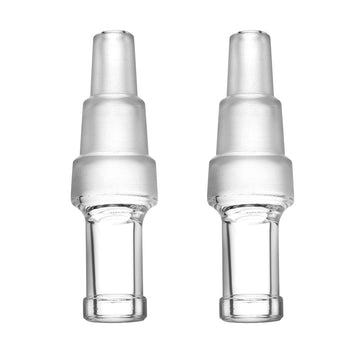
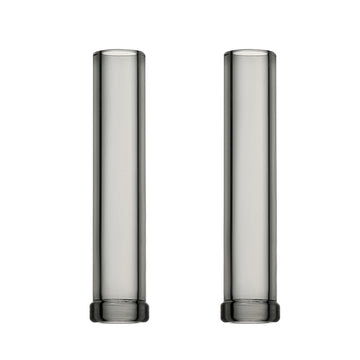
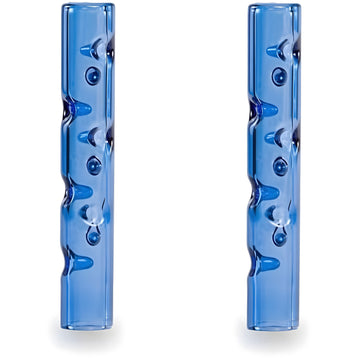
Using Glass StemsIf you use a glass accessory instead of the stock mouthpiece, the oven and its mesh screen still need the same care. Our short shaded stems and long straight stems are listed for the V3 Pro and V4 Pro, and our comparison of XMAX glass mouthpieces helps you choose. The how-to guide covers loading, the battery guide covers power, and the XMAX accessories collection lists everything we stock.
Final Thoughts
Keeping the oven screen and filter clean is the simplest way to keep an XMAX tasting and drawing as it should. Brush after use, deep clean with isopropyl alcohol, replace a damaged screen with the cleaning tool and never overload the oven.